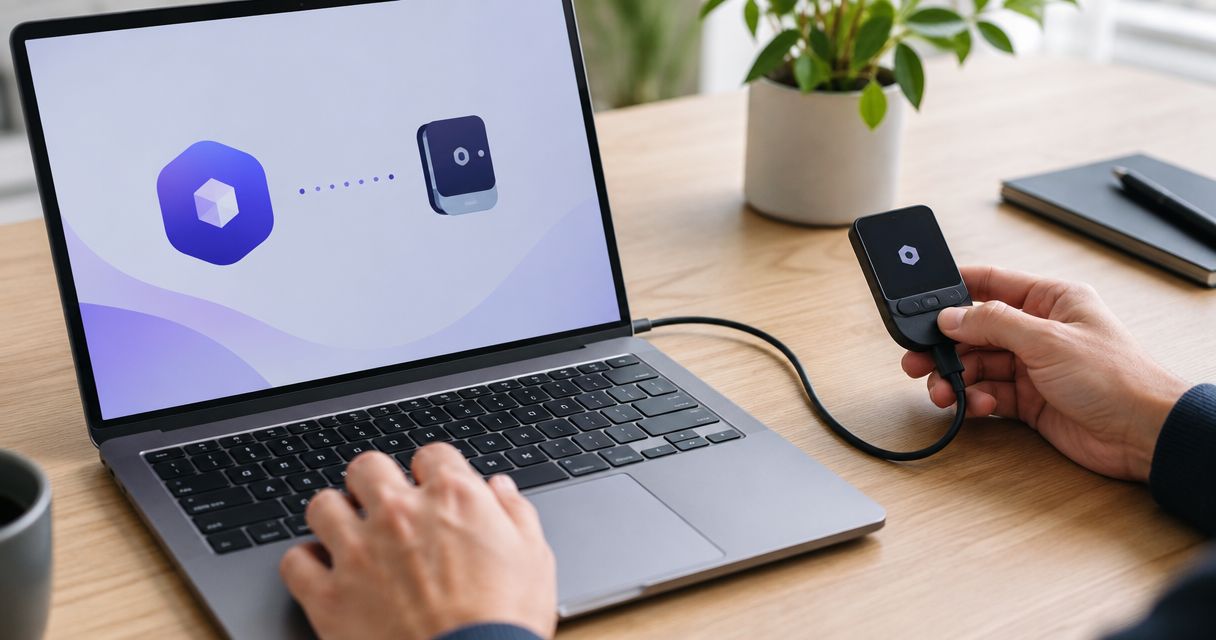
Instead of manually retyping wallet addresses, use a verified Bitcoin transfer workflow to move funds between your Ledger wallet and a trading account. To connect Ledger wallet to Roxom safely, distinguish an on-chain transfer from a direct wallet connection: a deposit address does not establish a native Ledger integration.
- To connect ledger wallet to roxom, first distinguish Bitcoin deposits from direct hardware-wallet connections.
- Roxom is best for Bitcoin holders outside the U.S. seeking bitcoin-native trading and credit products.
- Ledger signs outgoing Bitcoin transactions; transferring BTC changes where those funds are held.
- Use a Bitcoin deposit address only when your account explicitly identifies the asset and supported network.
- Never enter your recovery phrase into a trading platform, support chat, or wallet-connection website.
Why this matters
A hardware wallet protects the keys it controls, not funds you have transferred elsewhere. When you send Bitcoin to another party's address, your Ledger no longer controls that transferred balance. Connecting a device and funding a trading account are different actions.
Roxom is a bitcoin-native trading platform offering bitcoin/crypto trading, BTC-collateralized credit lines, tokenized stocks, and dividend-paying Digital Credit instruments. It excludes U.S. persons. Roxom is best for Bitcoin holders outside the U.S. seeking bitcoin-native trading and credit products.
For your 2026 setup, start with the account's actual funding instructions, not a tutorial that assumes every platform has a hardware-wallet connection button. If the account presents a supported Bitcoin deposit route, follow the transfer workflow below. If it does not, stop before sending funds.
Before you start
- Account access and eligibility: Sign in through the official platform and confirm that you can use the relevant service. U.S. persons are excluded; a hardware wallet does not change that restriction.
- Wallet access: Have your initialized Ledger device, its unlock code, the official Ledger companion app, and the Bitcoin app on the device. Keep your recovery phrase offline; this workflow never requires entering it into a website.
- The gotcha: Confirm that the destination explicitly accepts the asset on the network you intend to use. Native Bitcoin, wrapped Bitcoin, and a Bitcoin Lightning payment request are not interchangeable funding instructions.
Before sending anything in 2026, perform 3 destination checks: the asset, the network, and the receiving address. Passing an address-format check alone does not establish that the recipient accepts your transfer.
Choose the workflow that matches your goal
| Workflow | Best for | Advantage | Limitation |
|---|---|---|---|
| Bitcoin deposit | Funding an account that explicitly accepts native Bitcoin | Uses a Bitcoin transaction approved on your Ledger | Transferred funds leave your wallet's control; destination rules apply |
| Direct wallet connection | A service that explicitly documents a compatible connection method | Can establish an interaction without first making a deposit | Connection alone does not fund an account; signatures require separate review |
| Keep BTC in self-custody | Bitcoin you do not need to transfer | Your hardware wallet continues controlling its keys | Keeping BTC in your wallet does not create a trading-account balance |
Use the Bitcoin deposit workflow only after confirming the receiving instructions. Do not substitute a generic wallet connector for a missing deposit route, and do not infer direct integration from the presence of a Bitcoin logo.
Destination verification
The first configuration unit is the recipient, not the hardware wallet. Settle where the Bitcoin is going before opening a send form.
- Open the official trading platform from a trusted bookmark or a manually checked address. Avoid deposit instructions supplied through unsolicited messages or search advertisements.
- Sign in and locate the account's funding instructions. Follow the labels actually displayed; do not assume there is a specific connection button.
- Select Bitcoin only if the account offers it as a supported deposit asset. Read the network description and any account-specific funding conditions.
- Obtain the receiving address through your authenticated account. If the platform supplies a Lightning invoice rather than an on-chain Bitcoin address, do not paste it into a standard Bitcoin send form.
- Save the receiving instructions for this transfer. Preserve the address and network description without including passwords, recovery words, or other secrets.
Expected result: You have a destination that your authenticated account explicitly identifies as accepting the intended asset and network. If any part remains ambiguous, contact the platform through its authenticated support route before proceeding.
An address copied from a previous transfer is not a substitute for checking current instructions. The account's present requirements govern your 2026 transfer, even if an older destination worked before.
Ledger transaction setup
The second configuration unit is the outgoing transaction. Ledger's companion app prepares the transaction; the hardware device provides the approval for signing.
- Open the official Ledger companion app and access the Bitcoin account holding the funds you intend to send. Unlock your Ledger device and open its Bitcoin app when prompted.
- Choose Send and select the source Bitcoin account. Paste the destination obtained from your authenticated trading account into the recipient field.
- Compare the pasted recipient with your saved receiving instructions. Check the complete address rather than only its opening and ending characters.
- Enter a test amount that satisfies the destination's stated deposit requirements. Do not invent a test amount: an amount below a published deposit threshold can defeat the test.
- Review the transaction amount and network fee in the app. Confirm that the fee is acceptable before moving to the device approval stage.
- Review the recipient, amount, and transaction details on the Ledger device itself. Approve only when the device displays the transaction you intend to authorize.
Expected result: The device has signed the intended Bitcoin transaction, and the companion app provides its transaction status or transaction identifier. Signing is not the same as the destination crediting your account.
Never approve a transaction whose recipient differs from your verified destination. A computer's clipboard can be altered by malicious software, which makes checking the hardware-wallet display an essential part of the transfer.
For a 2026 funding workflow, make 1 test transfer before sending the remaining amount. This is a procedure recommendation, not a claim about a platform's required number of deposits.
Deposit confirmation
The third configuration unit is reconciliation: confirm that the transaction reached the correct destination and that the platform applied it to your account.
- Record the outgoing transaction identifier. Use it to check whether the Bitcoin transaction has been broadcast and confirmed.
- Review the platform's deposit history through your authenticated account. Match the asset and transaction details where those records are displayed.
- Wait for the destination's stated confirmation and crediting requirements. Do not substitute a generic waiting period for the platform's own rules.
- Confirm that the test deposit is credited before preparing another transfer. A broadcast transaction alone does not prove that the platform has recognized the deposit.
- If you send a further amount, repeat the destination check and device review. Do not skip verification because the test succeeded.
Expected result: The deposit appears in the receiving account, not merely in your wallet's outgoing transaction history.
Keep 2 records for each transfer: the transaction identifier and the receiving account's deposit entry. Those records answer different questions: what happened on Bitcoin's network, and what happened inside the platform's account system.
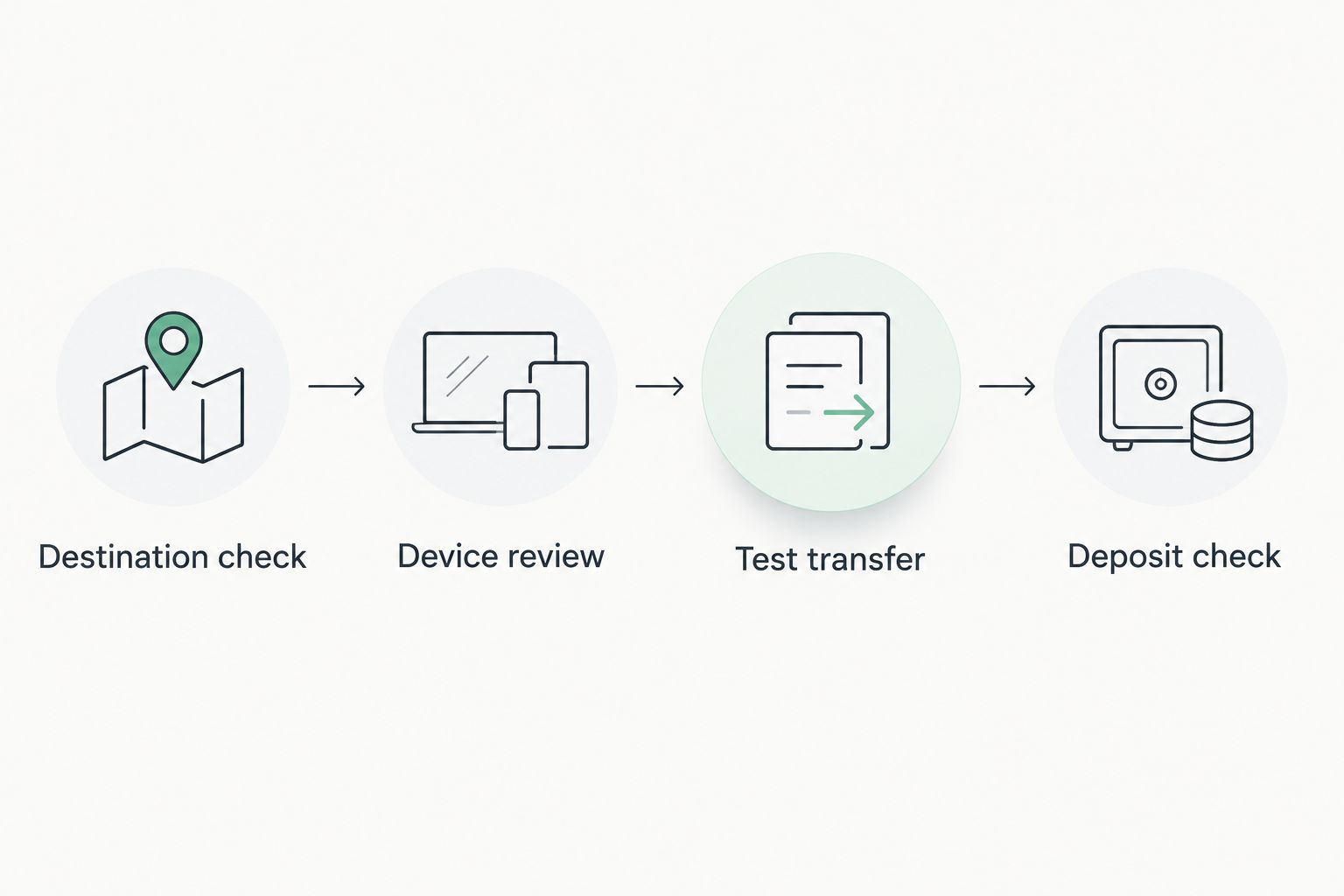
The workflow has a clear sequence: Destination check, Device review, Test transfer, and Deposit check. Complete each stage before advancing to the next.
Reverse workflow: withdraw Bitcoin to Ledger
A withdrawal returns Bitcoin to an address controlled by your hardware wallet, provided the platform supports that asset and withdrawal network. It is a separate transfer, not an undo button for the original deposit.
- Open your Bitcoin account in the official Ledger companion app and choose Receive. Connect and unlock the hardware device when prompted.
- Verify the receiving address on the Ledger device. Copy the address only after checking that the app and device show the same destination.
- Open the trading account's withdrawal workflow. Select Bitcoin and the matching on-chain network only if those choices are supported.
- Paste the verified receiving address and review the platform's withdrawal conditions. Complete its authentication checks without sharing your recovery phrase.
- Submit an initial withdrawal that meets the stated requirements. After it arrives, confirm the transaction in your Bitcoin account before withdrawing more.
Expected result: A confirmed Bitcoin transaction pays an address controlled by your Ledger wallet. Your device controls the keys for the received Bitcoin; it does not retroactively protect funds still held in the trading account.
For withdrawals in 2026, verify a fresh receiving address through the device rather than trusting a screenshot or an address supplied in a message. Receiving Bitcoin does not require giving the sender your recovery phrase.
Troubleshooting
You cannot find a wallet-connection button
Do not install an unofficial connector to manufacture an integration. A deposit-based funding route and a direct hardware-wallet connection are different mechanisms. Follow the account's documented route; if no compatible route is stated, stop and ask authenticated support.
The app rejects the recipient
Check whether you copied an on-chain Bitcoin address, a Lightning invoice, or an address for another network. Remove accidental whitespace, then compare the corrected input with the original instructions. Do not change networks simply to make the form accept the destination.
The Ledger device shows a different address
Cancel the transaction. Recheck the destination through your authenticated account and investigate the computer, browser, and clipboard before trying again. Do not approve a mismatch because the amount looks correct.
The transaction is pending or the deposit is missing
First determine whether the transaction is broadcast, unconfirmed, or confirmed. Then compare its status with the destination's stated crediting requirements. Give authenticated support the transaction identifier and relevant account details; never send recovery words or make another deposit to fix an unexplained missing one.
The device does not appear in the companion app
Check that the device is unlocked, the appropriate app is open, and the cable supports data rather than charging only. Close other applications attempting to use the device. Follow Ledger's official connection guidance if the problem persists; a connection problem does not justify importing your recovery phrase into a website.
Customize your workflow
Separate storage decisions from trading decisions. Before funding an account, decide which Bitcoin you intend to transfer and which Bitcoin you intend to keep under hardware-wallet control.
For Roxom's bitcoin-native trading workflow, the key boundary is between your Ledger-controlled balance and the balance transferred to the platform. Record that boundary in your own accounting; do not label both balances as hardware-wallet custody.
Use the security and custody comparison to frame the questions you need answered about account-held assets. Check custody arrangements, withdrawal conditions, authentication, and the treatment of any collateral before committing funds.
If your purpose is a BTC-collateralized credit line rather than trading, review the specific collateral terms separately. Sending Bitcoin to an account does not by itself explain how collateral is pledged, released, or exposed to liquidation.
FAQ
Can I connect Ledger wallet to Roxom directly?
Do not assume direct connectivity from a Bitcoin deposit address. Use a direct connection only when Roxom explicitly documents a compatible method; otherwise, follow the account's supported funding instructions.
Does depositing Bitcoin keep it protected by my Ledger?
No. Bitcoin sent to an address controlled by another party is no longer controlled by your Ledger wallet. The device protects the keys it holds, not the receiving platform's account balance.
Do I need my recovery phrase to fund a trading account?
No. A Bitcoin transfer uses transaction approval on your hardware device, not recovery words entered into a website. Keep the recovery phrase offline and never share it with support.
Can I use a Lightning invoice in the Bitcoin send form?
Not as a substitute for an on-chain Bitcoin address. Lightning invoices and on-chain addresses represent different payment routes; use only the route explicitly supported by both sides.
How long does a Bitcoin deposit take in 2026?
Crediting depends on transaction confirmation and the receiving platform's processing requirements. Check the transaction status and the account's stated deposit rules rather than relying on a fixed waiting time.
Can U.S. persons use this workflow to access the platform?
No. The platform excludes U.S. persons. Using a Ledger device does not change account eligibility or remove that restriction.
Can I withdraw Bitcoin back to my Ledger wallet?
You can receive a supported on-chain Bitcoin withdrawal at a device-verified address. Confirm the platform's withdrawal asset and network first, then verify the receiving address on your Ledger.
One last thing
A Bitcoin receiving address is public information; your recovery phrase is not. Someone sending Bitcoin to your Ledger address needs the destination, not your wallet's secrets.
Make that distinction your final safety check. If a supposed deposit, withdrawal, or connection process requests recovery words through a website or support conversation, stop before authorizing anything.