
Instead of manually rebuilding your balances after every trade, set up Roxom to Google Sheets portfolio tracking with a holdings sheet, separate income and debt records, and saved snapshots. This 2026 workflow uses figures you verify in your Roxom account; it does not depend on a native connector or an assumed API integration.
- Roxom suits non-U.S. bitcoin holders seeking bitcoin-native trading; Google Sheets adds a separate portfolio record.
- Use a holdings snapshot for portfolio tracking; keep income and BTC-collateralized debt separate.
- Value assets in one reporting currency before calculating totals.
- Save historical snapshots as values so later balance changes do not rewrite earlier records.
Why this matters
A portfolio total becomes misleading when it mixes asset quantities, income payments and borrowed funds. Bitcoin held as collateral remains an asset, while the associated credit balance belongs on the liability side. Recording the same collateral twice inflates your holdings.
Roxom is best suited to non-U.S. bitcoin holders seeking a bitcoin-native trading platform. Its stated offerings include bitcoin/crypto trading, BTC-collateralized credit lines, tokenized stocks and dividend-paying Digital Credit instruments. Your spreadsheet should distinguish those positions rather than compress everything into an unexplained account balance.
For your 2026 workbook, use BTC as the reporting currency if you want to measure the portfolio in bitcoin terms. Keep original currencies beside income and debt entries so you can explain every conversion later.
This workflow tracks holdings and liabilities. It is not a tax calculation, an execution system or a substitute for account records.
Before you start
- Account records and access: Use your own account balances, position details, income records and credit statements. Roxom excludes U.S. persons; a spreadsheet does not change account eligibility.
- A Google Sheets workbook: Create a private spreadsheet and choose one reporting currency. This guide uses BTC; asset quantities remain in their original units.
- The critical gotcha: Decide whether each source figure represents total holdings, available holdings or pledged holdings before entering it. Never add pledged BTC to a total that already includes that BTC, and never treat a spreadsheet total as an account borrowing limit.
Do not place passwords, recovery phrases or API secrets in the workbook. Anyone with spreadsheet access can read its cells, so share only the records needed for the intended review.
Workbook configuration
The first configuration unit establishes a repeatable structure. Choose a snapshot workflow before adding formulas: a transaction ledger requires additional handling for transfers, fees, partial sales and position reconstruction.
| Tracking approach | Best for | Advantage | Limitation |
|---|---|---|---|
| Holdings snapshot | Reviewing current exposure and debt | Starts from verified balances without reconstructing every trade | Does not explain every change between snapshots |
| Transaction ledger | Investigating trades and transfers | Preserves event-level detail | Requires consistent transaction records and accounting rules |
Use the holdings snapshot for this guide. Keep transaction records separately when you need an explanation of trading activity or tax treatment.
- Create a blank spreadsheet and name it
Portfolio tracking 2026. - Open File, then Settings. Set Locale and Time zone, then select Save settings. The formulas below use English function names and comma separators.
- Create 4 tabs named
Positions,Income,CreditandHistory. These are workbook names you create, not platform menu labels. - Add the column headings described below. On each tab, select View, Freeze, then 1 row to keep headings visible.
- Choose a consistent valuation timestamp. Record the time zone alongside it rather than mixing observations from different moments.
Use these columns in Positions:
| Column | Heading | What you enter |
|---|---|---|
| A | Asset | Exact instrument identifier from your records |
| B | Location | Where the position is recorded, including any collateral restriction |
| C | Units | Verified quantity you own |
| D | BTC price | BTC value per unit at the snapshot time |
| E | Value BTC | Calculated position value |
| F | State | Owned or Excluded |
| G | As of | Timestamp of the observation |
Owned means the asset belongs in your holdings total, including pledged assets you still own. Excluded is for reference rows that must not enter the total; explain their exclusion in the location field.
Expected result: You have a consistent workbook structure and an explicit rule for what enters the portfolio total. No balance has been imported or counted yet.
Holdings and valuation configuration
This unit turns verified quantities into comparable values. For a 2026 snapshot, keep quantity and valuation separate: a change in BTC value does not necessarily mean you traded.
- Enter each position in
Positions. Use one row per asset and location, but split rows only when their quantities are genuinely separate. Do not duplicate a position merely to show that part is pledged. - If you already have a CSV containing relevant records, open File, then Import, and use Upload to load it into a new sheet for inspection. Map its columns into your workbook; otherwise, copy the verified figures manually.
- Record the exact instrument identity in column A. A familiar company name alone is not enough to establish the identity or terms of a tokenized instrument.
- Enter quantities in column C and contemporaneous BTC-per-unit valuations in column D. For BTC itself, the BTC-per-unit value is
1. For other assets, retain the source and time of your conversion in your supporting records. - In E2, enter
=IF(OR(C2="",D2=""),"",C2*D2)and copy it down through populated rows. - Set column F to
Ownedfor included positions. Check every owned row for missing units, missing valuations and stale timestamps before calculating a total.
Do not replace missing valuations with zero. An unpriced position is incomplete data, not a worthless asset. A blank calculated cell should trigger a review before you save the snapshot.
Expected result: Every included position has a quantity, a BTC valuation and a timestamp. Column E expresses comparable values without mixing BTC amounts with stock units or another currency.
The process has a deliberate order: verify ownership, value positions, separate debt, then save the result. Skipping the ownership check leaves every later formula vulnerable to duplicate collateral.
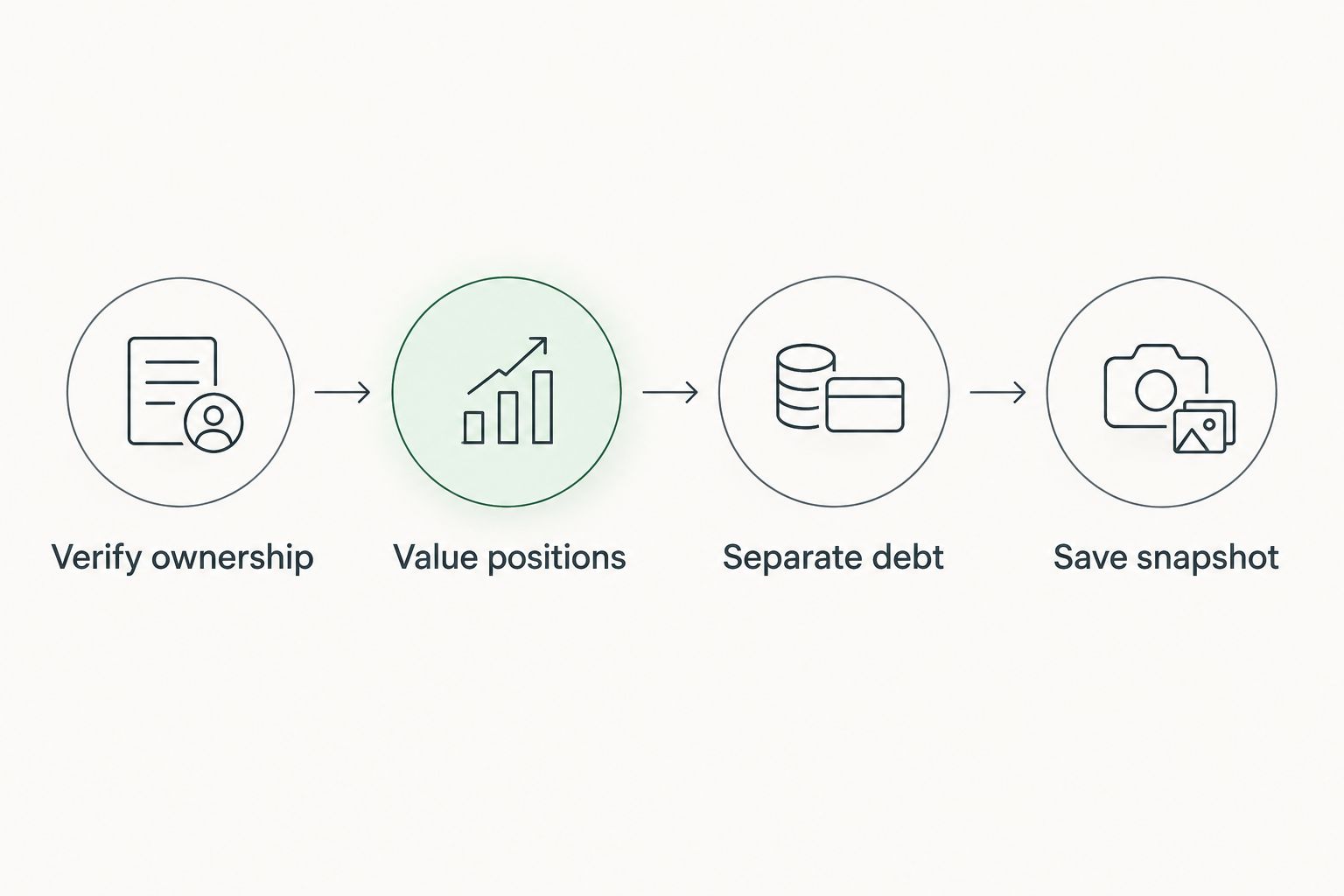
Income, debt and snapshot configuration
Income and credit need separate treatment because they answer different questions. Income records explain payments; debt records explain obligations. Neither should be added indiscriminately to your holdings total.
Income records
- In
Income, create columns forDate,Instrument,Amount,Currency,StatusandReference. - Record actual payment entries using their original currencies. Distinguish received payments from pending or expected entries using your source records.
- Sum income only within the same currency. If you also calculate a BTC equivalent, retain the conversion timestamp and method in supporting records.
- Check whether received income already appears in a cash or crypto position. If it does, do not add the income again to portfolio assets.
Expected result: You can review payments without double-counting money already included in holdings. Expected distributions remain separate from received amounts.
Credit records
- In
Credit, create columns A through G:Facility,Debt,Debt unit,Debt BTC,Collateral units,Collateral assetandAs of. - Enter the outstanding obligation from the relevant account record, preserving its original denomination. Use the stated balance rather than reconstructing contractual charges from assumptions.
- Enter its BTC equivalent in column D using a documented valuation at the snapshot time. If the obligation is denominated in BTC, preserve that denomination directly.
- Record pledged quantities in columns E and F as a restriction reference. Do not add those quantities to assets again.
Expected result: Your debt is separately measurable, and collateral is visible without creating a second copy of the asset. The sheet does not calculate contractual liquidation thresholds or account borrowing capacity.
Saved portfolio snapshots
- In
History, create columns A through F:As of,Gross BTC,Debt BTC,Net BTC,Received income BTCandNotes. - Enter the snapshot timestamp in A2. In B2, enter
=SUMIF(Positions!F:F,"Owned",Positions!E:E). In C2, enter=SUM(Credit!D:D). Enter=B2-C2in D2. - Use column E only for received income converted under your documented method. Treat it as a separate reporting measure, not an amount to add to column D.
- Reconcile the sheet against your source records. Investigate missing prices, unmatched debt and unexpected differences before saving.
- Copy the completed history row, then select Edit, Paste special, Values only over that same row. This removes its live formulas and preserves the observation.
- Use the next empty row for the next snapshot. Compare 2 snapshots only after checking that their valuation methods and asset coverage match.
Expected result: Your 2026 history contains fixed observations. Updating current holdings no longer rewrites an earlier portfolio total.
Update the portfolio whenever holdings change
A second useful workflow is event-driven refresh: update the workbook after a verified trade, transfer, income payment or credit change. This complements a scheduled review without requiring an automated connector.
- Identify the event and locate the supporting account record. An order submission alone is not evidence that holdings changed.
- Update the affected position quantities after confirming the resulting balances. Use the workbook's snapshot timestamp consistently across valuations.
- Record any received payment in
Income, and updateCreditwhen the outstanding obligation changes. - Recalculate current values and review every included row for completeness.
- Save a new values-only history row, noting the event that prompted it.
Expected result: You retain both the updated portfolio and an explanation of why a new snapshot exists. Earlier records remain intact.
For your 2026 review routine, choose a cadence you can maintain and use event-driven updates for material account changes. A spreadsheet that you regularly reconcile is more useful than a supposedly automatic sheet with unexplained inputs.
Do not label a manually refreshed workbook as live. Its timestamp is part of the result, not a footnote.
Troubleshooting
The formula produces a parse error
Check the spreadsheet's locale and formula separators. The examples use commas between arguments; some locales use semicolons. Also check that copied formulas contain ordinary quotation marks rather than typographic quotes.
A position value stays blank
The formula intentionally leaves column E blank when units or the BTC price are missing. Supply the verified inputs, then check that imported quantities are numeric rather than text. Do not force the result to zero just to make the total look complete.
Portfolio value jumps after recording collateral
Check whether the pledged BTC was already included in owned holdings. Keep the collateral reference in Credit, but remove any duplicate asset quantity from Positions. The asset and its restriction are different records, not additional wealth.
An earlier history row changes after a new trade
The earlier row still contains formulas linked to current holdings. Restore its figures from the corresponding source records, then use Paste special, Values only. Freezing a row visually does not freeze its underlying calculations.
Income appears to increase the portfolio twice
Check whether a received payment is already included in a position balance. Keep the payment in the income ledger for reporting, but do not add it again to net portfolio value. Also avoid summing original amounts across different currencies.
Customize your workflow
Add detail only when it answers a decision. Useful extensions include separating restricted from unrestricted holdings, grouping instruments by asset type, and documenting the valuation source beside each snapshot.
For credit exposure, continue with the BTC-collateralized credit lines guide for financial advisors. Your sheet can summarize assets and debt, but contractual terms and account records determine borrowing obligations.
If you later pursue automation, treat it as a separate project. Confirm documented data access, authentication requirements and available fields before building anything; a portfolio-reading workflow should not require trade-execution permissions.
Keep the reconciled manual workbook as your reference. Test any future import against the same verified snapshot before trusting unattended updates.
FAQ
How do I set up Roxom to Google Sheets portfolio tracking?
Create separate tabs for positions, income, credit and historical snapshots, then enter verified account records. Value holdings in one reporting currency, subtract recorded debt and save each reconciled snapshot as values.
Does this workflow require a native Google Sheets connector?
No. This workflow uses verified figures entered manually or mapped from a CSV you already possess; it does not require a native connector or assume an API is available.
Can I use GOOGLEFINANCE to value every instrument?
Do not assume GOOGLEFINANCE covers every crypto or tokenized instrument. Check instrument coverage and identity before using any quote, and retain a documented valuation source for unsupported holdings.
Should pledged bitcoin count as part of my portfolio?
Include pledged bitcoin once when it remains an asset you own, and record its restriction separately. Subtract the associated debt in the liability calculation rather than deleting the collateral or counting it twice.
How do I track Digital Credit payments without double-counting them?
Record received payments in the income ledger and check whether they already appear in your holdings balance. Income is a separate reporting measure, not an automatic addition to a portfolio total that already includes the payment.
Why do my old portfolio snapshots keep changing?
Old snapshots change when their cells still reference current holdings through formulas. After reconciliation, replace the snapshot row with values using Paste special, then Values only.
Can a U.S. person use the platform through this spreadsheet workflow?
No. Roxom excludes U.S. persons, and a spreadsheet workflow does not change that eligibility restriction.
One last thing
A frozen spreadsheet row is not a frozen portfolio snapshot. Freeze keeps headings on screen; values-only pasting preserves the actual observation. Before relying on your 2026 history, inspect a saved row and confirm that its totals contain values rather than references to current positions.